Best Free Graphical Abstract Makers (2026)
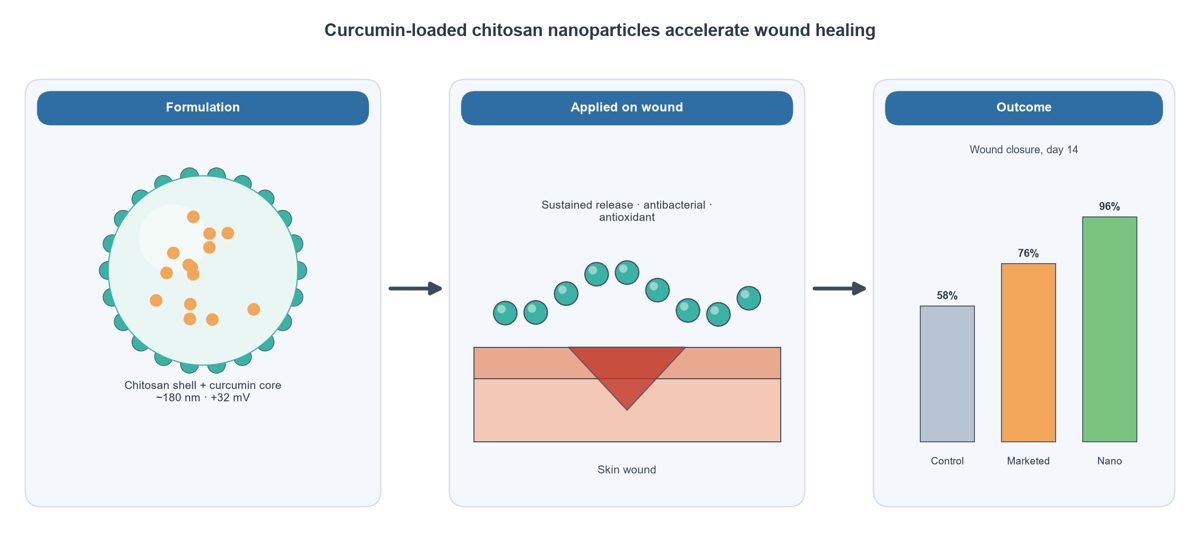
Many journals now ask for a graphical abstract: one image that shows the main finding of your paper at a glance. You don't need expensive software to make a good one. Here are the best free options.
1. SciFigures (free AI graphical abstract maker)
Type your study in one sentence, for example "curcumin-loaded chitosan nanoparticles for wound healing in rats", and SciFigures draws a clean graphical abstract with correct labels. The free plan gives 3 figures a month. Try the graphical abstract maker.
2. PowerPoint or Google Slides + free icons
Combine shapes and arrows with free icons from Servier Medical Art or Bioicons. It takes longer, but it is free and you control every detail. Export at 300 dpi or as PDF, not a screenshot.
3. Inkscape (free vector editor)
The best free tool for exact layouts and final polishing. Steeper learning curve, but output is fully vector.
4. Canva (free plan)
Easy layouts and templates. Its icons are not made for science, so check that structures and labels are scientifically correct.
What journals expect from a graphical abstract
- One clear message, read left to right or top to bottom.
- Few words: short labels, no paragraphs, no data tables.
- Right size: check the journal guide (Elsevier, for example, asks for a wide image of at least 1328 x 531 pixels).
- High resolution: 300 dpi for raster images, or a vector PDF/SVG.
- No unlicensed images copied from Google.
Fastest workflow
- Write your main finding in one sentence.
- Generate a first draft with an AI figure maker.
- Ask for changes until the story is clear, then export at 300 dpi.
See also BioRender vs SciFigures and how to make 300 dpi figures.
More guides
- How to Make a Graphical Abstract (Step by Step)
- Journal Figure Requirements: Size, DPI and File Formats
- How to Make Good Scientific Figures for Your Thesis
- Colour-Blind Friendly Colour Palettes for Scientific Figures
- How to Draw a Mechanism of Action Diagram
- How to Edit SVG Figures in PowerPoint, Illustrator and Inkscape
- Free BioRender Alternatives for Scientific Figures
- How to Fix AI-Generated Scientific Images Before Using Them
- How to Make a Volcano Plot (and Read One)
- How to Calculate IC50 from a Dose-Response Curve
- Kaplan-Meier Survival Curve Explained (with Example)
- Drug Release Kinetics Models: Zero Order, First Order, Higuchi, Korsmeyer-Peppas
- How to Make a Forest Plot for a Meta-Analysis
- SD vs SEM Error Bars: Which Should You Use?
- How to Draw a Research Methodology Flowchart
- Figures for a B.Pharm or M.Pharm Project and Thesis
- Free Scientific Figure Maker for a Thesis
- How to Make 300 DPI Figures for a Journal
- Best Tools for Research Paper Figures (2026)
- BioRender vs SciFigures: Which Should You Use?
- Liposome Structure Diagram: How to Draw It Correctly